Session Recap
An automatic session log that tracks party achievements, treasure, and combat statistics while you play, and exports clean markdown summaries directly to Discord.
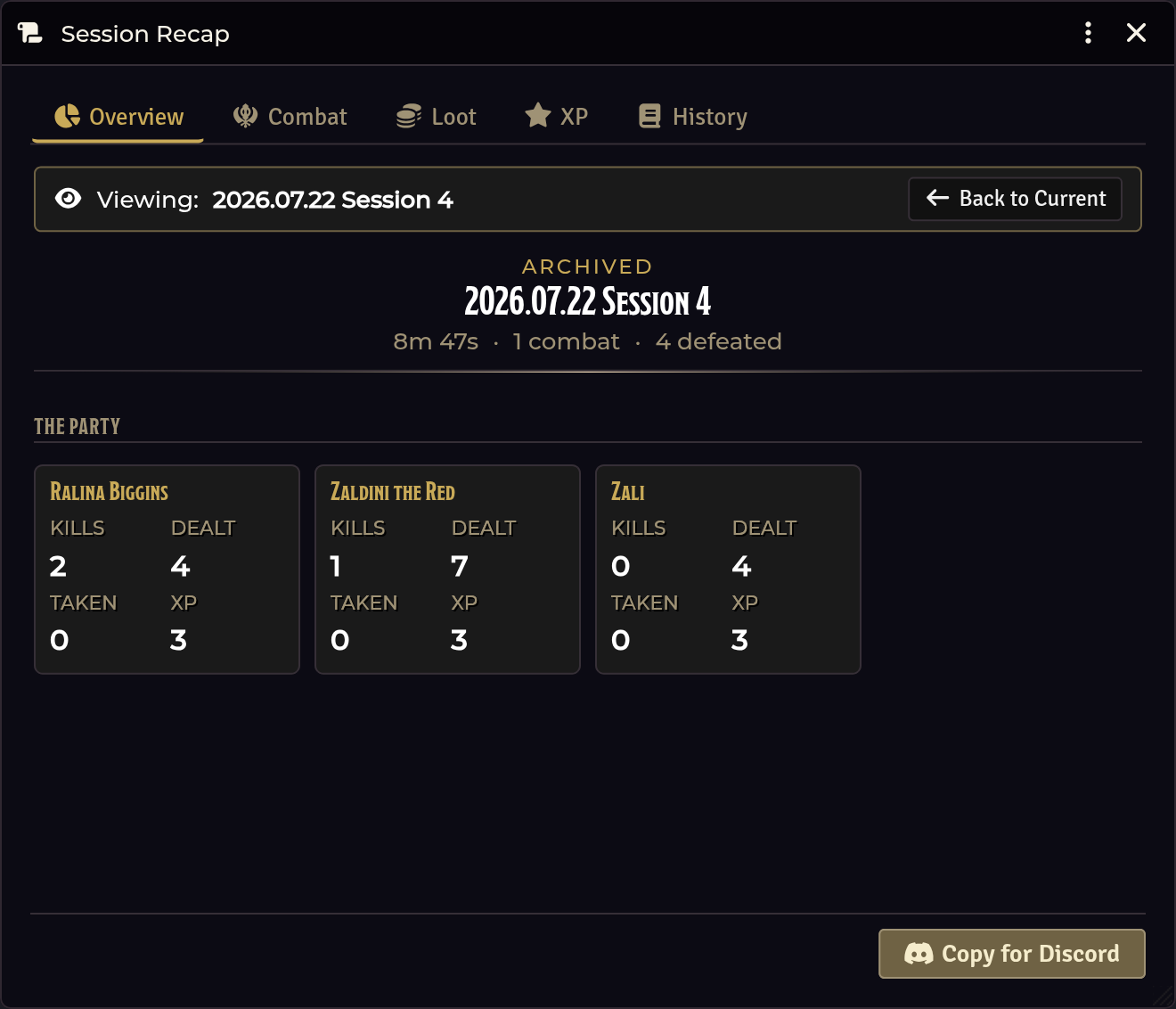
Opening Session Recap
| Route | How |
|---|---|
| Crawl Bar | Right-click Forge & Loot → Session Recap |
| API | game.shadowdarkEnhancer.recap.open() |
Tied to the crawl session
You do not need to manage recap timers separately:
| Crawl Action | Recap Effect |
|---|---|
| Start Crawl | Begins a new session recap or resumes the active one |
| End Crawl | Prompts you to Save, Pause, or Discard the session |
Saved sessions are stored in the History tab for future reference.
What it captures automatically
| Event | Source Tool | Details Captured |
|---|---|---|
| Loot claims | Loot & Treasure | Items found and claimed per player |
| XP awards | Party XP | Awards, reasons, and level-up readiness |
| Shop transactions | Merchant Shop | Items bought and sold, coins spent/earned |
| Downtime attempts | Downtime | Activities attempted, checks, fees, and outcomes |
| Carousing | Shadowdark Extras (optional) | Night outcomes, XP, benefits, mishaps, and renown |
| Encounter checks | Encounter Roller | Round, die roll, threshold, and hit/miss |
| Combat statistics | Combat Tracker | Rounds, participants, damage dealt, and kills |
| Dice rolls | Chat Log | Per-character d20 and damage roll stats |
The recap tabs
The window is organized into six tabs:
Overview · Combat · Loot · XP & Renown · Downtime & Carousing · History
XP & Renown
- XP Awards: Lists each XP award granted during the session, grouped by player with subtotal sums.
- Renown Changes: Displays every Renown award or penalty applied this session (time, character, score change, band, and reason), grouped by player with net change totals.
Downtime & Carousing
- Downtime attempts: Shows each downtime activity resolved during the
session, grouped by player (newest first) with attempt counts and coin totals
(such as
2/3 · 30 gp). - Permanent log: Downtime attempts also write permanently to the world
Downtime Logjournal. See Downtime.
Carousing integration
If you use the optional Shadowdark Extras module, carousing sessions resolved through its overlay are captured here:
- Each carouse block records the tier purchased, cost, and participant rolls.
- Subtotals summarize participants, total XP gained, benefits, mishaps, and net
renown swings (for example,
4 carousers · 18 XP · 5 benefits · 3 mishaps · renown +2). - Supports both Expanded (automated effects) and Original carousing modes.
Renown changes from carousing mirror into the character's renown log tagged with Carousing.
Exporting to Discord
Click Copy for Discord to generate a formatted markdown summary copied directly to your clipboard.
The export includes:
- Session duration and overview totals.
- Combat summary with kills and damage leaders.
- Item claims and gold expenditure.
- XP awards and Renown changes per player.
- Downtime and Carousing breakdowns.
Multi-GM safety
In worlds with multiple connected GMs, only the active GM client records session activity.
This single-writer model prevents duplicate entries when running bridge assistants or co-GM setups.
Troubleshooting
Nothing is being recorded.
Ensure an active crawl is running (End button shown on Crawl Bar). Session
logging activates only while a crawl is in progress.
I ended the crawl and lost the session data.
When ending a crawl, select Save to store the recap in the History tab, or
Pause if you plan to resume the crawl later.
The Discord export is missing sections.
Sections without recorded activity are omitted from the export automatically.
Carousing events are not showing up.
Ensure Shadowdark Extras is active with Enable Carousing enabled, and that
the carouse completed while the crawl session was running.
Related: Crawl Strip & Crawl Bar · Party XP · Merchant Shop