Random Encounters
The 1d6 encounter check, and a four-tab Encounter Roller for turning a hit into
creatures standing on the map.
The encounter check
Right-click the Encounter button on the Crawl Bar and choose Encounter Check.
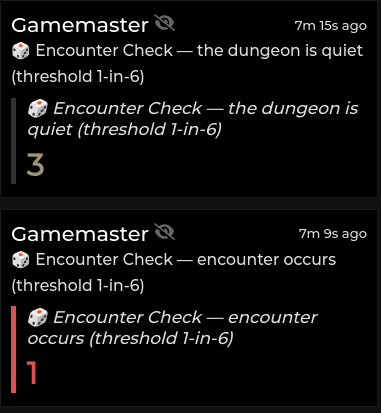
It rolls 1d6 and hits on a result at or below the threshold. The roll is
attached to the chat message as a real Foundry Roll, so Dice So Nice animates
it, the result is inspectable, and it persists in the log.
Setting the threshold
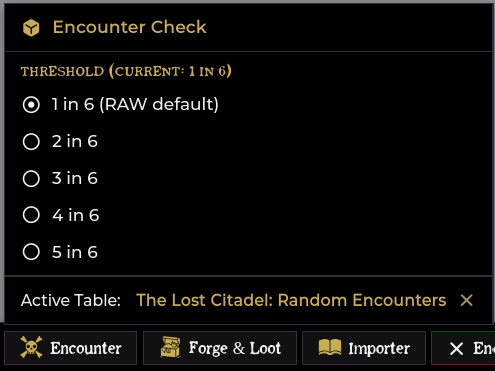
Same right-click menu. Choose 1 in 6 through 5 in 6. 1 in 6 is the
Shadowdark RAW default and is labelled as such.
What happens on a hit
Three things, each individually toggleable in Configure Settings → Shadowdark Enhancer:
| Setting | Default | Effect |
|---|---|---|
| Pause game on encounter | on | The game pauses the moment the check hits |
| (always) | — | The Encounter Roller opens on the Roll Tables tab |
| Auto-roll active table on hit | on | The active table is rolled automatically |
| Roll Encounters as GM-only | on | The check card and roller results are whispered to the GM |
A miss posts a quiet card, "the dungeon is quiet", and does nothing else. Every check, hit or miss, is recorded in the Session Recap along with the crawl round it happened on.
The active table
The roller needs to know which table to draw from. Set it either way:
- Drag a RollTable from the sidebar onto the Encounter button.
- Open the roller, select a table, and click Set as Active.
The current active table is shown at the bottom of the Encounter right-click menu, with an × to clear it.
The Encounter Roller
Four tabs. Left-click the Encounter button to open it, or call
game.shadowdarkEnhancer.encounter.openRoller().
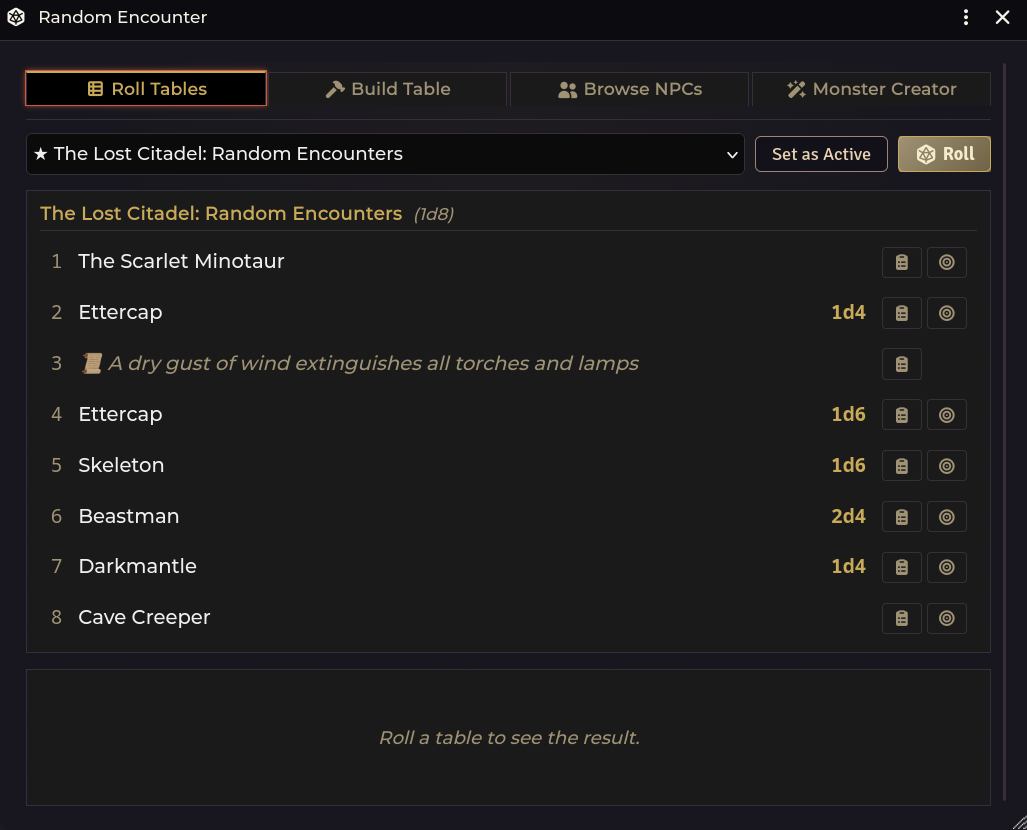
1. Roll Tables
Pick a table and roll it. Tables are grouped by folder, and both world tables and
compendium tables are listed, including the module's own sde-tables pack.
Selecting a table shows a preview of its full contents, with each row's range
label (1, 2-3, 4-6). Any row can be posted to chat or placed on the map
directly from the preview, without rolling.
The result card
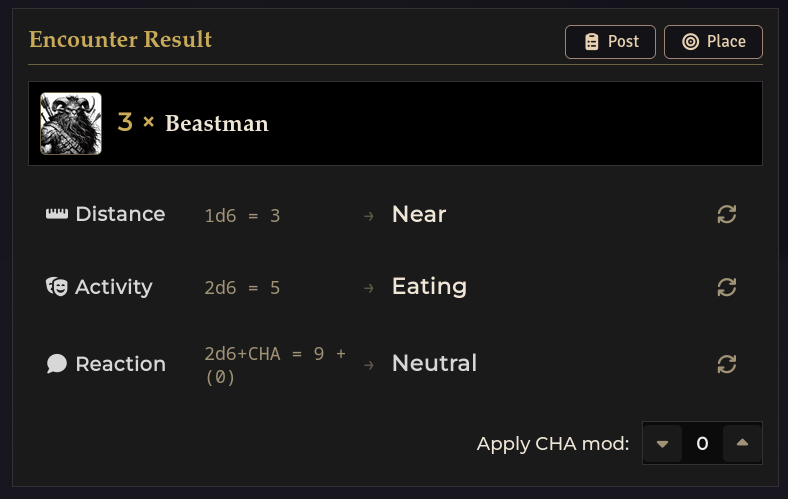
A rolled encounter produces a card with four facets. Distance, Activity and Reaction are each individually re-rollable via their circular-arrow buttons. Appearing is rolled once from the table row's own formula and has no re-roll button:
| Facet | Roll | Results |
|---|---|---|
| Appearing | The table row's own appearing formula (e.g. 1d4) |
How many show up |
| Distance | 1d6 |
1 Close · 2–4 Near · 5–6 Far |
| Activity | 2d6 |
2–4 Hunting · 5–6 Eating · 7–8 Building/nesting · 9–10 Socializing/playing · 11 Guarding · 12 Sleeping |
| Reaction | 2d6 + CHA |
≤6 Hostile · 7–8 Suspicious · 9 Neutral · 10–11 Curious · 12+ Friendly |
The CHA modifier applied to the reaction roll is adjustable on the card with up/down arrows. Set it to whichever character is doing the talking.
Double 1s are always hostile. Two 1s on the reaction dice mean a hostile reaction whatever the modifiers add up to, and the card says so when it happens.
Renown on the reaction roll
Below the CHA stepper sits a Recognised here toggle and a picker for whose renown applies. The toggle is off by default — a character adds their renown bonus only where they would plausibly be known, so it stays your call per roll. The picker defaults to the party's most renowned character, since one reaction roll covers the whole encounter.
With it on, the reaction row shows the added bonus and why, and the same line rides along on the posted chat card:
Reaction   2d6+CHA = 7 + (0) + 2   →   Neutral
           Renown +2 — Eliara is Known name here (9 renown)
The toggle and picker only appear when the world has player characters.
Then:
- Post sends the card to chat.
- Place drops the tokens on the canvas. They are grid-snapped, so press
ESCto cancel placement.
A posted card carries the creature with its count, then the Distance, Activity and Reaction rows, each with its raw roll in the right-hand column:
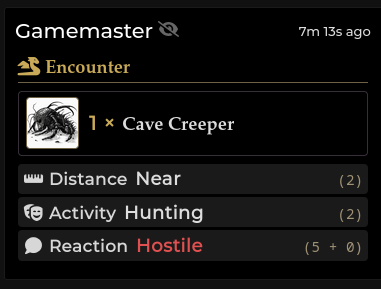
Rows that are flavour-only (an environmental result with no creature) are recognised as such. They get an Environmental Result card with a Post button and no Place button, because there is nothing to place.
Contextual check and roll enrichment (Arctic Sea)
Encounter tables imported through the module are automatically enriched with
@UUID monster links and inline dice rolls ([[/r ...]]).
When importing or relinking the Cursed Scroll 3 Arctic Sea Encounters table,
the importer additionally converts printed ability check requirements (such as
DC 15 DEX) into clickable [[check 15 dex]] buttons.
When an encounter result with a check is posted to chat, clicking the
[[check]] button rolls an immediate ability check for your controlled token (or
a player's assigned character). Bare damage or count dice (like 2d4) become
clickable [[/r 2d4]] inline rolls. Unrelated encounter tables keep their DC
notations as unmodified prose.
2. Build Table
Build an encounter table by hand. Choose a die (1d4, 1d6, 1d8, 1d10,
1d12, 1d20, or 2d6), then fill numbered slots.
- Drag an NPC onto a slot to fill it, or type a name.
- Each slot gets an optional appearing formula (
1d4,2d6, …) stored with the row. - Mark a slot as flavour for a non-creature result. It loses its appearing count.
- Slot ranges are editable, so a
2d6table can group its eleven outcomes into bands the way published tables do. - Add, clear, and remove slots freely, and post or place any slot to test it.
Save writes a real RollTable you can use anywhere in Foundry.
3. Browse NPCs
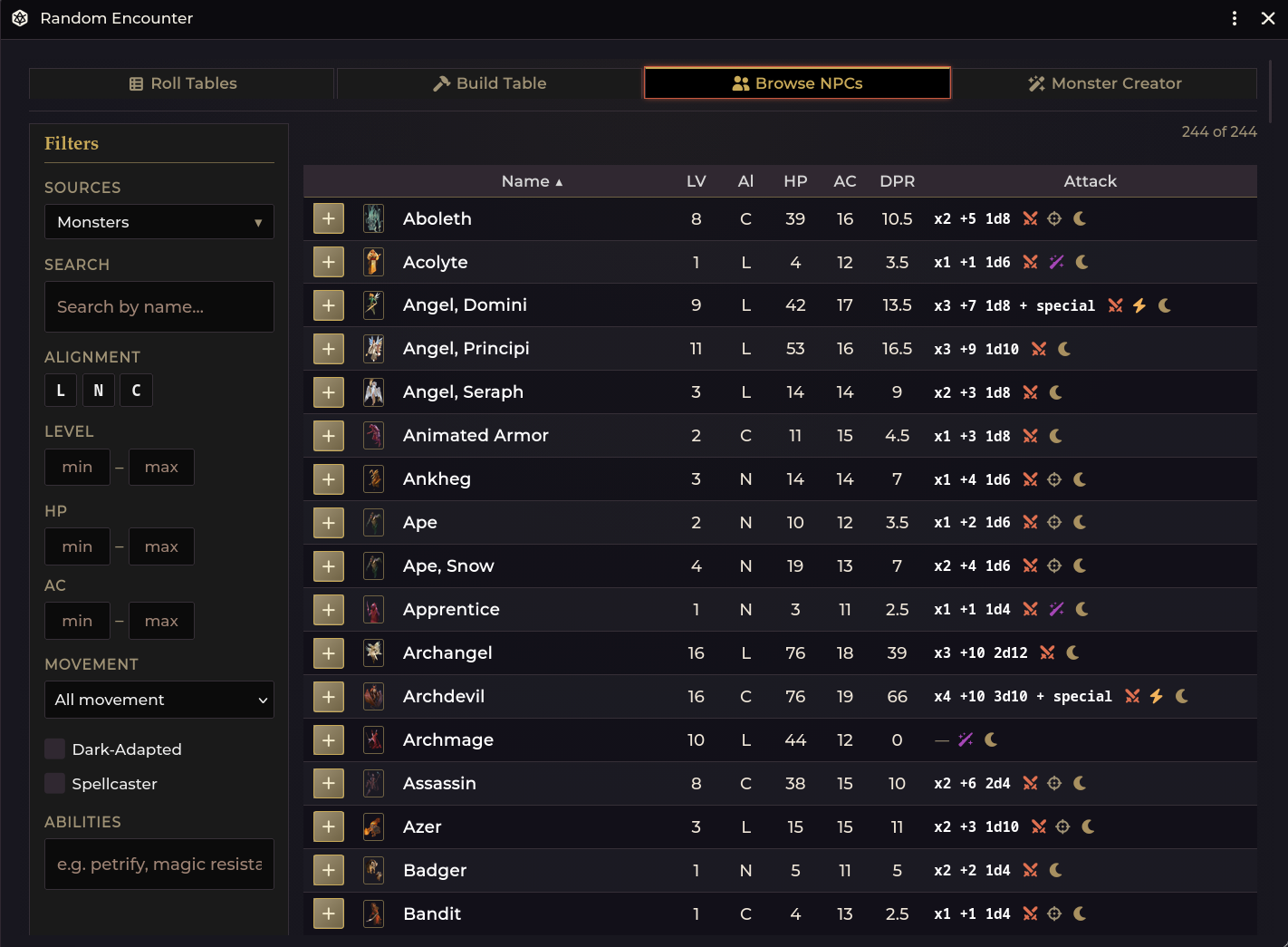
A filterable, sortable browser over every NPC in your installed compendiums and world. This is the fastest way to find something to drop into a Build Table slot, and each row has a + button.
Columns: Name · LV · Al · HP · AC · DPR · Attack, including a computed DPR (damage per round), which is the quickest way to gauge whether a creature suits the party.
Filters, down the left:
| Filter | |
|---|---|
| Sources | Multi-select across World Actors, the current scene, sde-actors, and every installed monster pack |
| Level / HP / AC | min–max ranges |
| Movement | By movement type |
| Dark-Adapted · Spellcaster | Toggles |
| Abilities | Free-text search across special abilities (e.g. petrify, magic resistance) |
The browse only loads when you actually open the tab, so the other tabs stay fast.
4. Monster Creator
A full NPC authoring panel. See Monster Creator.
Where encounters draw NPCs from
The Encounter sources setting controls which packs feed the browser and the
encounter machinery. It defaults to your world actors plus
shadowdark.bestiary.
Known issue on Shadowdark 4.x: the system renamed its bestiary pack to
shadowdark.monsters, so the shipped default's second entry matches nothing. Out of the box, only world actors feed the browser. Until the default is fixed, point the setting at the current pack yourself:
game.settings.set("shadowdark-enhancer", "encounterSources", ["world", "shadowdark.monsters"]);
The setting is not exposed in the settings window. The snippet above is the way to change it.
Troubleshooting
The check hits but nothing rolls. No active table is set. The roller still opens. Pick a table and click Set as Active so future hits roll it automatically.
Players can see my encounter checks. Turn on Roll Encounters as GM-only (it is on by default). With it on, both the check card and the roller's results are whispered to GMs.
"(deleted table)" in the encounter menu. The active table was deleted after being bound. Click the × to clear it and bind a new one.
Place puts tokens in the wrong spot.
Placement is grid-snapped to the scene's grid. Press ESC to cancel and try
again, and check that the scene's grid is configured.
The Browse tab is empty (or shows only world actors).
Only NPCs in the configured encounter sources are listed, and on Shadowdark
4.x the shipped default points at the old shadowdark.bestiary pack id, which
no longer exists (see Where encounters draw NPCs from above). Set
encounterSources to include shadowdark.monsters.
A table row places nothing.
The row has no linked actor, so it is a name-only or flavour row. Link it to an
actor by re-importing the table (imports auto-link @UUID references) or by
rebuilding the row in the Build tab.
Related: Monster Creator · Importer Hub · Session Recap