Merchant Shop
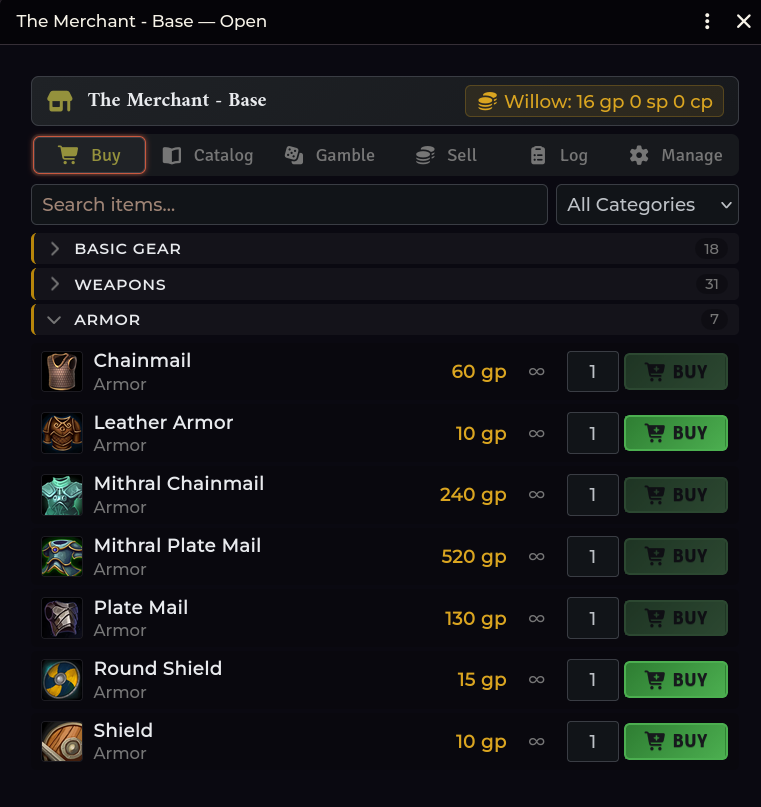
A GM-managed shop window that opens for all connected players simultaneously. Players buy and sell items directly using their character coins, and all transactions are logged automatically.
Opening the Merchant Shop
| Route | How |
|---|---|
| Crawl Bar | Right-click Forge & Loot → Merchant Shop |
| API | game.shadowdarkEnhancer.merchant.openLocally() |
When opened by the GM, the shop window opens for all connected players.
Player opt-in mode
You can also make the shop Available without forcing windows open. Players can then open and close their shop window at will from the crawl strip or chat cards until you close the shop.
Two inventory sources
| Source | Description |
|---|---|
| Compendium catalog | An unlimited catalog assembled from compendium items |
| NPC inventory | Sells items carried directly on an NPC actor's sheet |
Use NPC inventory mode for wandering merchants and peddlers: selling goods depletes the NPC's actual stock.
The buy list
Items are organized into collapsible category sections:
Basic Gear · Weapons · Armor · Scrolls · Wands · Potions · Poisons · Other
Buying and selling
- Buying: Deducts coin from the character's purse and creates the item in their inventory. Purchases are rejected if the character cannot afford the price.
- Selling: Removes the item from inventory and awards coin based on the Sell Ratio (the percentage of base item value paid out).
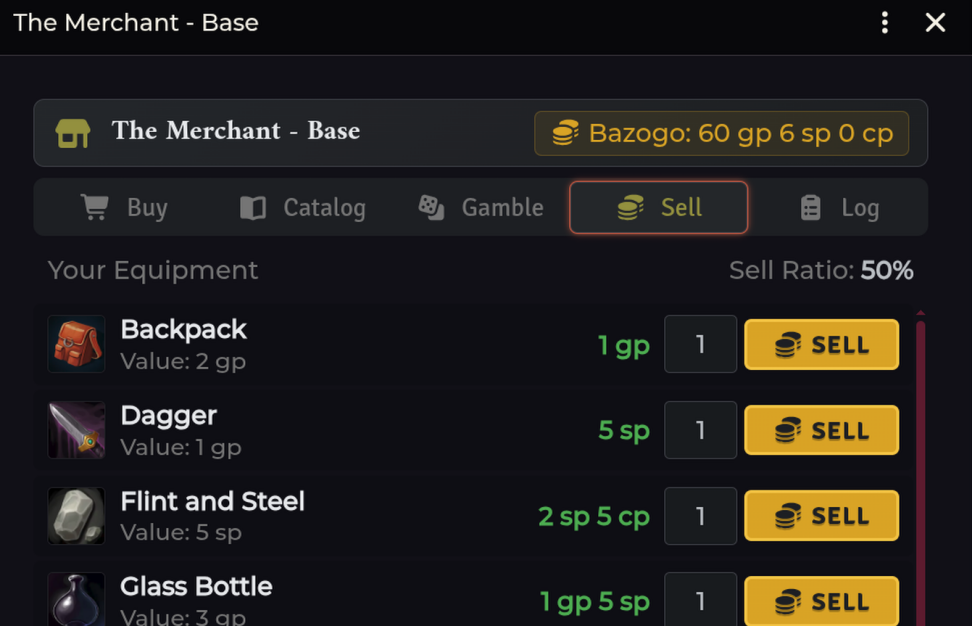
| Shop Setting | Default | Range |
|---|---|---|
| Merchant Sell Ratio (%) | 50% |
0–100% (in 5% increments) |
| Merchant Shop Name | The Merchant |
Custom text |
| Buy Markup (%) | 100% |
10–500% |
These settings are adjusted directly inside the shop window header.
Transactions are serialized: Buys and sells are queued and processed one at a time on the host client. Two players attempting to buy the last limited item in stock cannot double-buy it.
The extortion price swing
A character who earned a 25% price swing via Downtime extortion automatically applies it to their next shop transaction:
- Purchases cost 25% less.
- Sales pay out 25% more.
The discount is tracked on that specific character, stacks with current markup, and is consumed only when a transaction successfully completes.
Saved merchants
The module includes two pre-configured merchant stock templates:
| Preset | Inventory |
|---|---|
| The Merchant - Base | Standard Shadowdark core rulebook gear |
| The Merchant - Western Reaches | Core gear plus Western Reaches expanded items |
New worlds load The Merchant - Base by default. You can switch presets or save your own custom merchant inventories under Manage → Saved Merchants.
Gambling on loot tables
To allow gambling, check Allow players to gamble on loot tables on the Manage tab and add table options with gold costs.
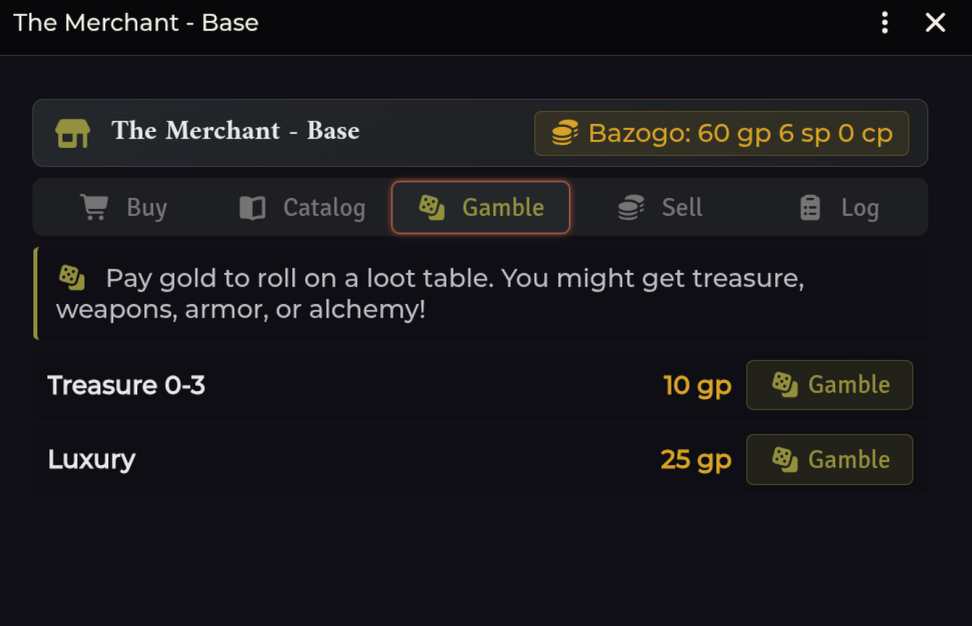
When a player pulls the lever, the cost is deducted and the drawn result converts to inventory items using standard Loot Generator logic:
| Rolled Result | Item Granted |
|---|---|
| Linked Item | Adds the linked document to the character |
| Nested RollTable | Evaluates child tables up to 3 levels deep |
Currency text (e.g. 10 cp in pouch) |
Adds coins directly to purse |
Sub-roll text (e.g. Meteorite 1d4: 1. harp…) |
Rolls sub-item and creates treasure |
Mundane item name (e.g. Torch) |
Creates matching gear item |
| Priced treasure text | Creates treasure item worth that amount |
| Flavor text | Printed on the chat card without creating items |
The transaction log
Every purchase, sale, and gamble roll is recorded in the shop's Log tab and mirrors to the Session Recap.
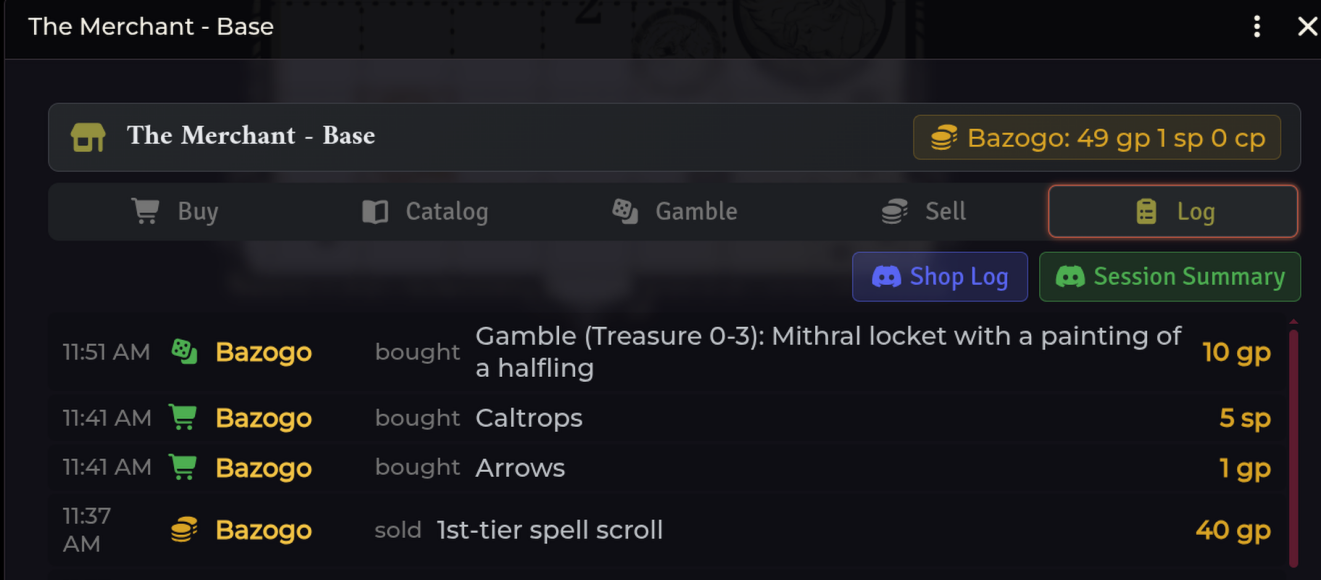
Click Shop Log to copy the shop's transaction history to your clipboard in clean Discord markdown.
Troubleshooting
A player cannot open the shop.
Verify that the shop is open or that the Available toggle is turned on.
\"Your GM's Foundry tab needs a reload before shop transactions can land.\"
The active GM client is running an outdated tab script. Have the GM refresh
their browser tab (F5 or Ctrl+R).
A purchase completed, but the item is missing.
Items are created on the active actor selected in the shop header. If a player
controls multiple characters, check their other sheets.
Item quantities are incorrect after purchase.
Purchased items receive the exact quantity bought, overriding any template
defaults.
Stock did not deplete after a purchase.
Compendium catalog mode provides unlimited stock. Use NPC inventory mode
if you want items to deplete as they are sold.
Related: Loot & Treasure · Session Recap · Downtime